If you've ever tried to negotiate a deal with a supplier who speaks Vietnamese, answer a customer inquiry in Spanish, and coordinate logistics with a German freight forwarder — all in the same afternoon — you know the pain of juggling translation tools. You need a chat translation app that actually keeps up.
The chat translation market has exploded. According to Grand View Research, the global machine translation market was valued at $982 million in 2024 and is projected to grow at a CAGR of 22.6% through 2030. Within that, real-time chat translation is the fastest-growing segment, driven by the surge in cross-border e-commerce and remote work.
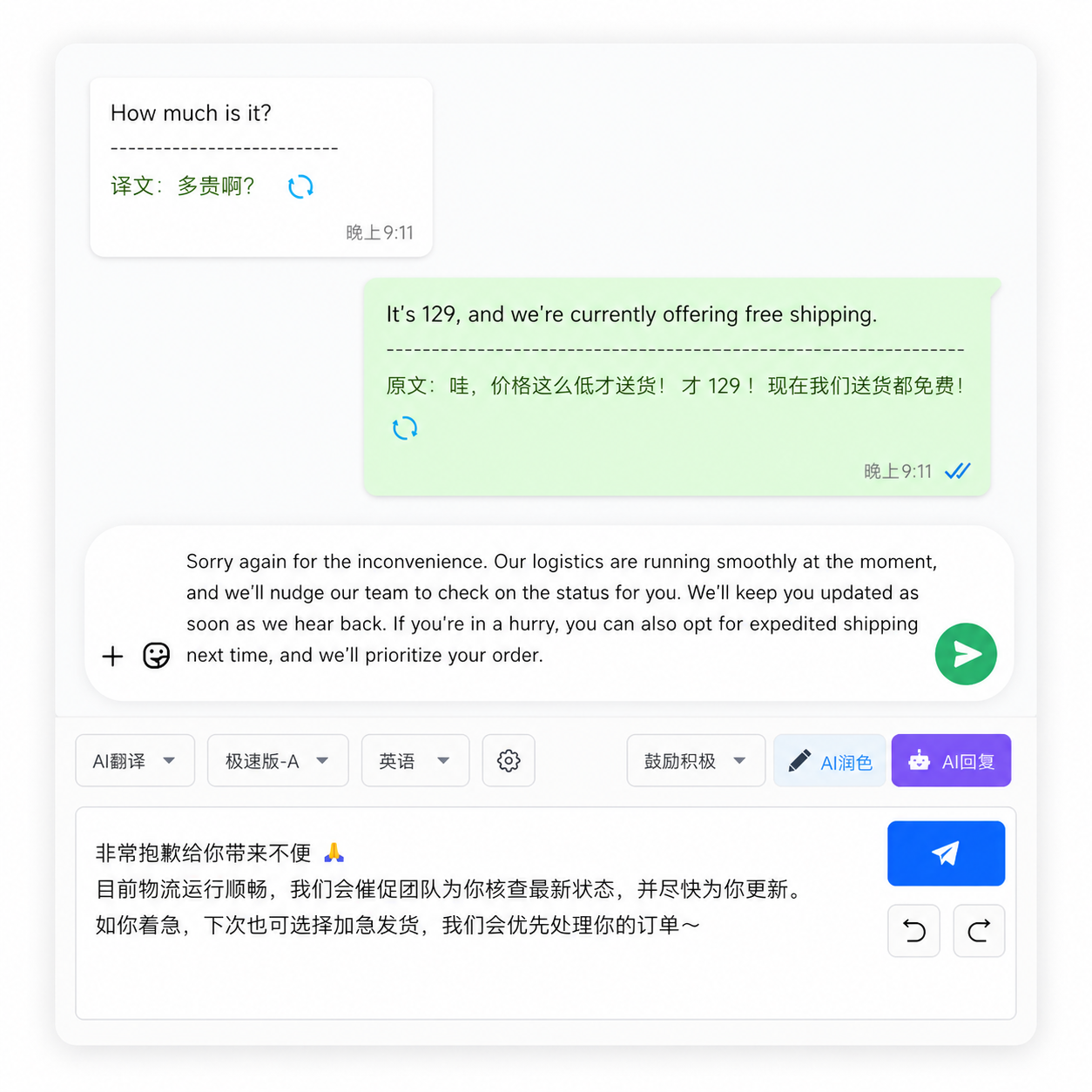
What makes a chat translation app actually useful for business?
Not all chat translators are created for business. Consumer-grade apps designed for travel phrases and casual chats fall apart when faced with business terminology, cultural nuance, and the sheer volume of messages that cross-border trade generates.
Here's a comparison of what separates a basic translation app from a business-grade solution:
| Capability | Consumer Apps | Business-Grade Apps |
|---|---|---|
| Translation Engine | Single engine (usually Google) | Multi-engine with auto-routing (DeepL, ChatGPT, Google) |
| Context Handling | Sentence-by-sentence | Thread-aware, preserves conversation context |
| Platform Coverage | One platform at a time | Aggregates 10-36+ platforms in one interface |
| Data Privacy | Cloud-based, data collected | Local storage, zero data collection |
| Specialized Terms | Generic dictionary | Industry glossary support (Incoterms, HS codes, etc.) |
| Pricing Model | Free (ad-supported / data monetization) | Subscription with transparent pricing |
Why do most chat translation apps fail with business conversations?
There's a fundamental difference between translating a travel question ("Where is the train station?") and translating a business negotiation ("We can offer FOB Shanghai at $3.25/unit with a 30-day lead time, subject to LC at sight").
Consumer translation apps struggle with three things in particular:
1. Trade terminology: Terms like "FOB," "CIF," "LC at sight," "MOQ," and "OEM" have specific legal and commercial meanings. Generic machine translation engines often translate them literally — turning "LC at sight" into something nonsensical like "letter of credit that can see."
2. Cultural nuance: A Japanese supplier's "we will consider it" (検討します) often means "no" — but a literal translation creates false hope. Business-grade translators that understand cultural context can flag these nuances.
3. Multi-turn conversations: A negotiation might span 50+ messages across multiple days. Consumer apps treat each message in isolation, losing critical context. Business tools maintain thread awareness for consistent terminology.
A 2025 survey by Common Sense Advisory (CSA Research) found that 76% of cross-border buyers are more likely to purchase from a supplier who communicates in their native language. Yet 63% of small and medium exporters still rely on free consumer translation tools, leaving revenue on the table due to poor translation quality.
How to choose the right chat translation app for your workflow
Here's a practical decision framework:
- Map your platforms first: List every messaging app your clients, suppliers, and partners actually use. If you're on WhatsApp, Telegram, Line, and WeChat daily, you need aggregation — not just translation.
- Test with your real conversations: Most tools offer a trial period. Test with actual business messages — not generic test phrases. Pay attention to how the tool handles numbers, dates, currency amounts, and industry acronyms.
- Check the privacy architecture: If the tool's privacy policy uses phrases like "we may share data with partners" or "data may be processed on servers in [country]," your client communications are not private.
- Evaluate cross-device needs: Do you need translation on mobile, desktop, or both? Browser extensions won't help on your phone; mobile-only apps won't help during long desktop work sessions.
OneChat addresses these points comprehensively: it aggregates 36+ messaging platforms (WhatsApp, Telegram, Line, WeChat, Messenger, and more) into a single desktop interface, with AI translation across 100+ languages. The 100% local storage architecture means your chat data never leaves your device — a critical feature for businesses handling sensitive client communications, supplier negotiations, and pricing discussions. It's designed for the reality of cross-border business, where translation speed and data security are equally non-negotiable.
Frequently Asked Questions
What's the difference between a translation app and a chat translation app?
A general translation app (like Google Translate) requires you to copy text, paste it, read the result, and then manually compose a reply. A chat translation app integrates directly with your messaging platforms and translates messages in real time within the chat interface — keeping the conversation flowing naturally.
Can I use one chat translation app for WhatsApp, Telegram, and WeChat?
Yes, if you choose a multi-platform aggregator with built-in translation. Tools like OneChat aggregate multiple messaging platforms into a single window and apply real-time translation across all of them, eliminating the need for separate apps or browser tabs.
Is chat translation accurate enough for legal contracts?
AI chat translation is excellent for business communication but should not replace professional human translation for legally binding contracts. Use it for negotiations, daily communication, and relationship building. Use a certified human translator or legal translation service for final contract language.
How much does a good chat translation app cost?
Business-grade chat translation tools typically range from $10-30/month for individual users to $50-200/month for team plans. Free tools almost invariably monetize through data collection. As a general rule: if you're not paying for the product, your data is the product.
Does using a chat translation app slow down my computer?
Modern desktop translation apps with local AI processing are optimized to have minimal impact on system performance. On computers with Apple M-series or Intel 13th-gen+ processors, the translation overhead is typically under 5% CPU usage. Older machines may benefit from tools that offer cloud fallback options.
Stop switching between five different apps just to talk to your international clients. OneChat brings 36+ messaging platforms together with AI translation for 100+ languages — and keeps everything 100% local for complete privacy. Try OneChat today and experience how smooth cross-border communication can be.