What Makes a Chat Translation App Actually Useful for Business?
The app stores are flooded with translation tools. But most are built for tourists asking for directions, not for business owners negotiating deals across time zones. A business-grade chat translation app needs three things: speed (sub-second translation so conversations flow naturally), accuracy with industry terminology (so "FOB" doesn't become "free on board the ship" in a casual email), and security (so your pricing discussions don't sit on someone else's server).
According to Grand View Research, the machine translation market is projected to reach $7.6 billion by 2030, growing at 13.4% CAGR — driven largely by cross-border business communication needs, not tourism.
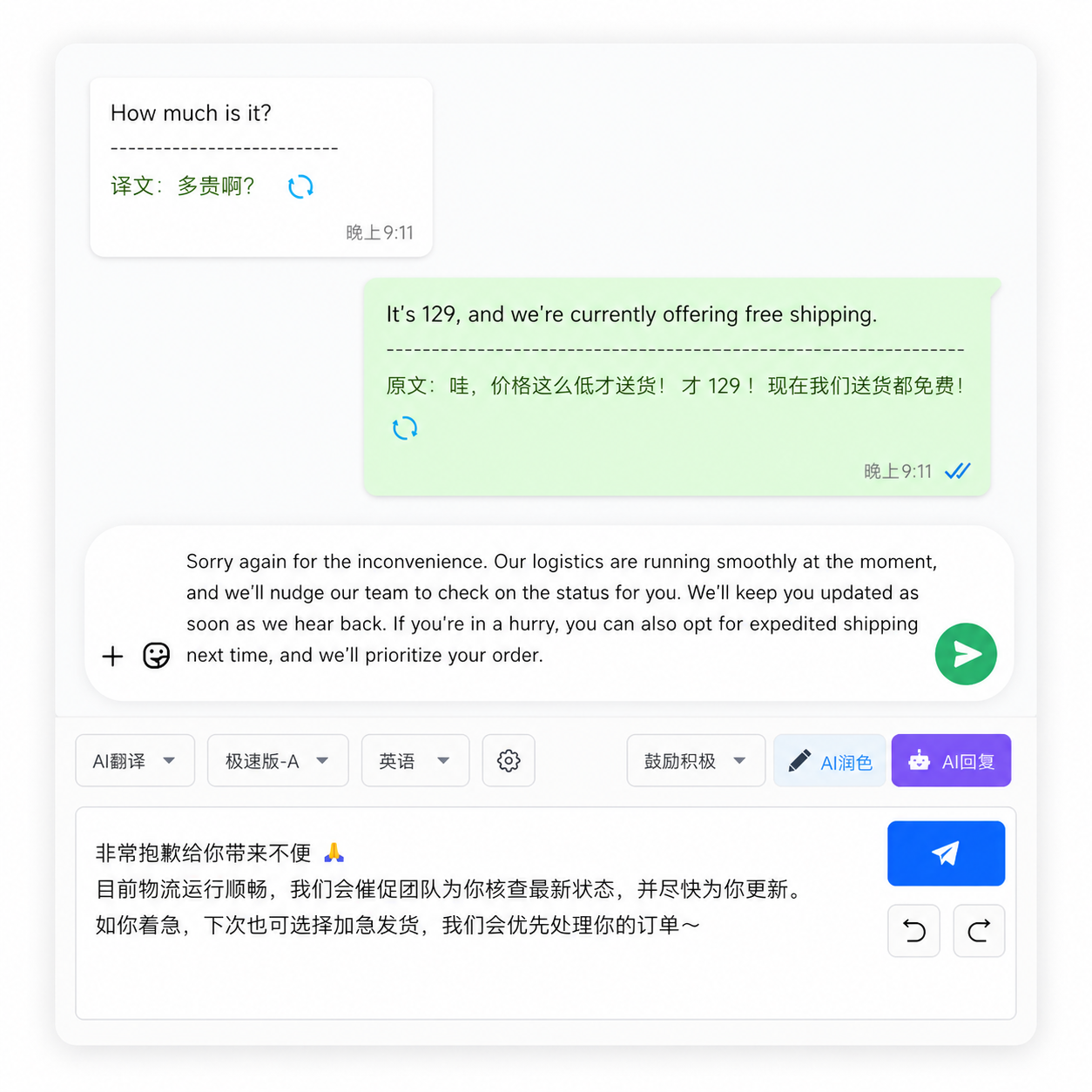
Chat Translation Apps vs. General Translators: What's the Difference?
| Feature | Chat Translation App | General Translator (Google, DeepL) |
|---|---|---|
| Message direction awareness | Yes — knows incoming vs outgoing | No — treats all text equally |
| Inline translation | Translates inside chat window | Requires copy-paste |
| Speed | 0.5-1.5 seconds | 1-5 seconds (includes paste time) |
| Multi-chat support | Works across platforms | Single text input |
| Context awareness | Reads conversation history | Isolated translation only |
| Glossary/term management | Available in business plans | Limited or absent |
| Data privacy | Local storage options | Cloud processing |
The fundamental difference: general translators translate text. Chat translation apps translate conversations. That distinction — context, direction, speed — is what makes or breaks a business relationship conducted across languages.
Are Free Chat Translation Apps Good Enough for Professional Use?
Free apps handle casual chats fine. But as soon as your conversation includes a purchase order number, a negotiated discount, or a delivery deadline, the gaps appear. Free tools typically lack three things: glossary management (so your industry terms get translated correctly every time), message history (so you can scroll back and verify what was said), and data controls (so you know where your messages are stored).
A 2024 survey by Slator found that 41% of businesses that started with free translation tools switched to paid solutions within 6 months — the top reasons being accuracy issues with specialized vocabulary (58%) and data privacy concerns (47%).
How to Choose a Chat Translation App: 5 Questions to Ask
1. Does it cover all the platforms I use? If your customers are on WhatsApp, Telegram, and Line, you don't want three separate translation tools. A unified interface saves 30-40% of daily communication time.
2. Where does my data go? Read the privacy policy carefully. Look for "local processing" or "on-device translation." If the policy mentions cloud processing or data sharing with third parties, your business conversations may not be private.
3. Can I add my own terminology? Every industry has its vocabulary. A tool that lets you define "MOQ = minimum order quantity" and "lead time = production + shipping" will cut translation errors in half.
4. How fast is it really? Test before committing. Send 20 messages in quick succession. If the tool lags or queues translations, it'll frustrate you (and your customers) during active negotiations.
5. What happens when I'm offline? Some tools cache recent translations locally. Others go completely dead without internet. If you travel or work in areas with spotty connectivity, offline capability matters.
Frequently Asked Questions
Can a chat translation app replace a human translator?
For daily communication — yes, for most business scenarios. For legal contracts, marketing copy, or high-stakes negotiations — no. The best workflow uses AI translation for 80% of communication speed, with human review for the 20% that's mission-critical.
Do chat translation apps work with WhatsApp, Telegram, and WeChat?
Platform-specific apps typically don't. Aggregated chat platforms like OneChat support 36+ messaging apps under one interface with unified translation. If you use 3+ platforms, an aggregated solution is significantly more efficient.
How accurate are chat translation apps for Asian languages?
English-Chinese and English-Japanese achieve 88-93% accuracy in business contexts. English-Korean and English-Thai are 80-87%. English-Arabic is 78-85%. Accuracy drops for language pairs with less training data, so test your specific language pair before committing.
Is my chat history visible to the translation app provider?
It depends on the architecture. Cloud-based apps see your messages. Local-processing apps do not — translation happens on your device. For GDPR compliance or industries handling sensitive data (healthcare, legal, finance), local processing is essential.
What's the difference between a chat translator and an AI writing assistant?
A chat translator converts existing messages between languages in real time. An AI writing assistant helps you compose original messages (often with tone adjustment and grammar checking). The best business communication tools combine both: translate incoming messages, help you draft outgoing ones.
FAQ Schema
One Chat App, Every Platform, All Languages
OneChat aggregates 36+ messaging platforms — WhatsApp, Telegram, Line, WeChat, and more — into a single interface with AI-powered translation across 100+ languages. 100% local storage keeps your business conversations private. Built for cross-border teams who need speed, accuracy, and security in one tool.