The Chat Translation App Landscape: More Than Just Google Translate
The "chat translation app" category has exploded. A few years ago, your options were essentially Google Translate and maybe Microsoft Translator. Today, the category spans standalone translators, AI-powered chatbots, browser extensions, and full-fledged chat aggregators with built-in translation.
According to Grand View Research, the global machine translation market was valued at $1.2 billion in 2023 and is projected to grow at a CAGR of 29.5% through 2030. Chat translation — the segment focused on real-time conversational translation — is the fastest-growing subcategory, driven by cross-border e-commerce, remote work, and global customer support.
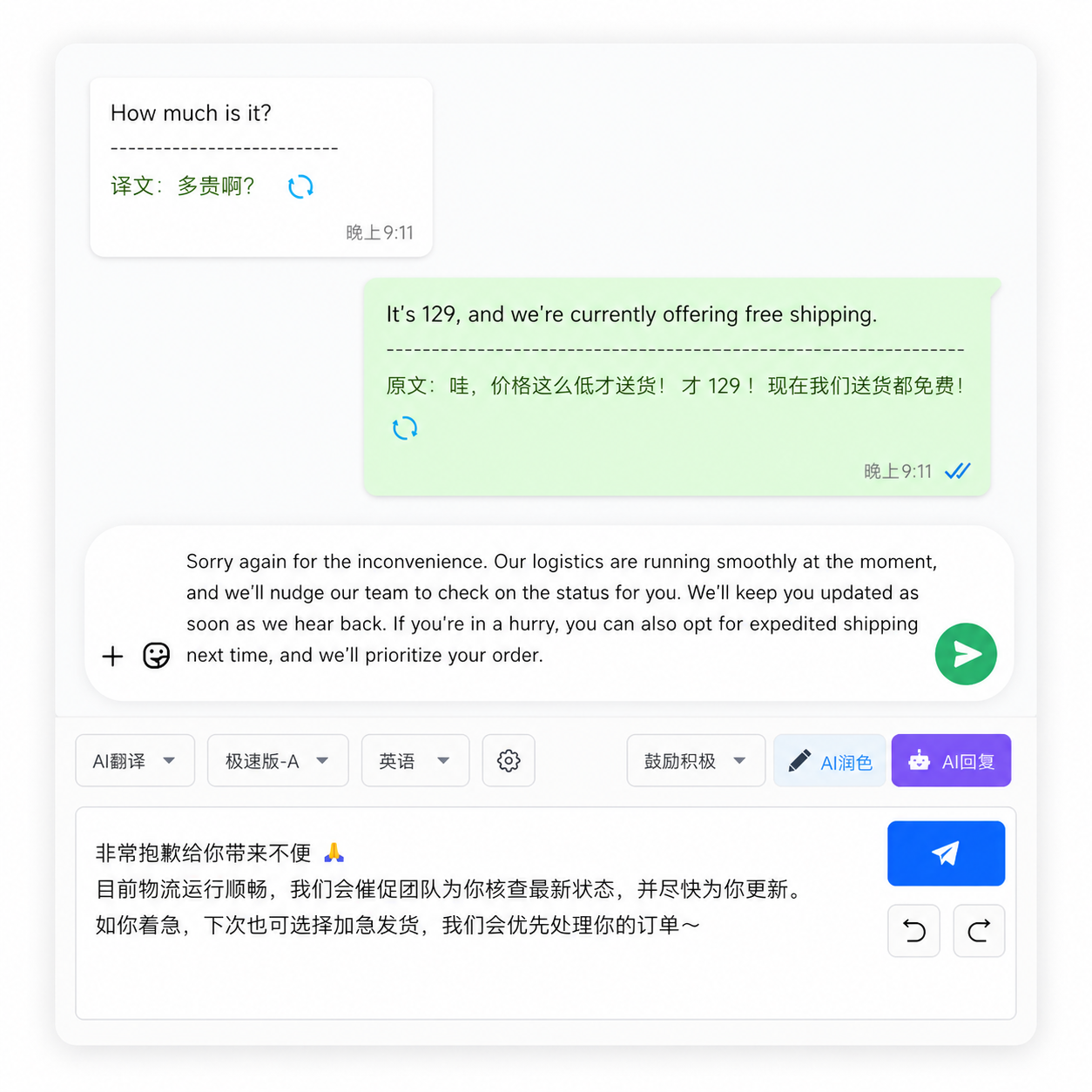
But here's the problem: most "chat translation" still means copy-paste between apps. That's not chat translation — that's text translation with extra steps. True chat translation means the translation happens inside your conversation, automatically.
What Makes a Chat Translation App Actually Good for Business?
Not all translation tools are built for business chat. Here's what separates a real chat translation app from a general-purpose translator:
| Feature | Google Translate | DeepL | ChatGPT | OneChat (chat-native) |
|---|---|---|---|---|
| Translates inside chat | ❌ | ❌ | ❌ | ✅ |
| Auto-detects incoming language | ⚠️ Manual | ⚠️ Manual | ✅ | ✅ |
| Translates outgoing replies | ❌ | ❌ | ❌ | ✅ |
| Supports multi-platform chat | ❌ | ❌ | ❌ | ✅ (36+ platforms) |
| Preserves chat context | ❌ | ❌ | ✅ | ✅ |
| Local data storage | ❌ (cloud) | ❌ (cloud) | ❌ (cloud) | ✅ |
The table makes it clear: standalone translators were designed for one-off text blocks, not ongoing conversations. A chat-native translation app handles the entire flow — detect language → translate incoming → translate outgoing — without breaking your conversational rhythm.
How Much Time Does a Real Chat Translation App Save?
Let's do the math. The typical copy-paste translation workflow for one WhatsApp message:
- Long-press message → Copy (2 seconds)
- Swipe to Google Translate app (1 second)
- Paste into input field (1 second)
- Read translation, compose reply in your language (variable, ~15 seconds)
- Copy translated reply (1 second)
- Swipe back to WhatsApp (1 second)
- Paste and send (2 seconds)
Total overhead: ~23 seconds per message, excluding the actual thinking and composing time. With a chat translation app that translates automatically in-window, steps 1-7 collapse to one: type your reply and send — the translation happens automatically. Overhead drops to ~2 seconds.
For a business handling 50 cross-language messages a day: 23 × 50 = 19 minutes vs. 2 × 50 = under 2 minutes. That's nearly 17 minutes saved daily, over 6 hours per month. At an average knowledge worker's rate, that's significant ROI.
Chat Translation Apps: Cloud vs. Local Processing — Why It Matters
Here's a distinction most comparison articles miss: where does the translation actually happen? Most translation tools process your text on remote servers. Google Translate sends your text to Google's cloud. DeepL processes it on DeepL's servers. ChatGPT routes it through OpenAI's infrastructure.
For business users handling supplier negotiations, pricing discussions, and client communications, this is a genuine concern. According to CSIS research on data security, cross-border data flows in business communication tools create tangible risks — ranging from competitive intelligence exposure to regulatory compliance issues.
Local-first translation tools keep your data on your device. They fetch only the minimum needed for translation (typically via encrypted API calls) and don't log conversation history on external servers. If you're discussing pricing with a supplier or handling a customer's personal information, this distinction matters.
FAQ
What is the best chat translation app for WhatsApp?
A chat aggregator with built-in translation (like OneChat) beats standalone translators for WhatsApp because it translates messages in-window without requiring copy-paste. It also handles multi-language auto-detection and translates your replies automatically.
Is there a chat translation app that works across multiple platforms?
Yes. Chat aggregation apps like OneChat connect WhatsApp, Telegram, LINE, WeChat, and 30+ other platforms into one interface with built-in translation. This means you get consistent translation across all your business chat channels.
How accurate are chat translation apps compared to human translators?
For general business communication (inquiries, order confirmations, daily chat), top chat translation apps achieve 85-90%+ accuracy on major language pairs. For legal contracts or technical specifications, human review is still recommended.
Do chat translation apps work offline?
Most chat-native translation apps require an internet connection because they use cloud-based neural machine translation models. Some standalone translators (Google Translate) offer offline language packs, but accuracy drops 10-20% compared to online mode.
Are free chat translation apps safe for business use?
Free translation services typically monetize through data collection or advertising, which means your business conversations may be processed for purposes beyond translation. For business use, prioritize apps with clear privacy policies, local data storage, and end-to-end encryption.
FAQ Schema
One App. All Your Chats. Built-In Translation.
OneChat unifies WhatsApp, Telegram, LINE, WeChat, and 32+ other platforms into a single window — with AI-powered chat translation across 100+ languages. Messages auto-translate as they arrive. Your replies translate before they send. No copy-paste, no app switching, no cloud logging. 100% local data storage keeps your business conversations on your device where they belong. Built for cross-border teams, exporters, and anyone who does business in more than one language.
👉 Get OneChat Free